Can not see or create Test Suite or .tst file in Test Case Explorer

My Parasoft version is below, installed on Window10 machine

After I create a project, I am unable to find Add New-->Test(.tst) File option by right clicking the project.
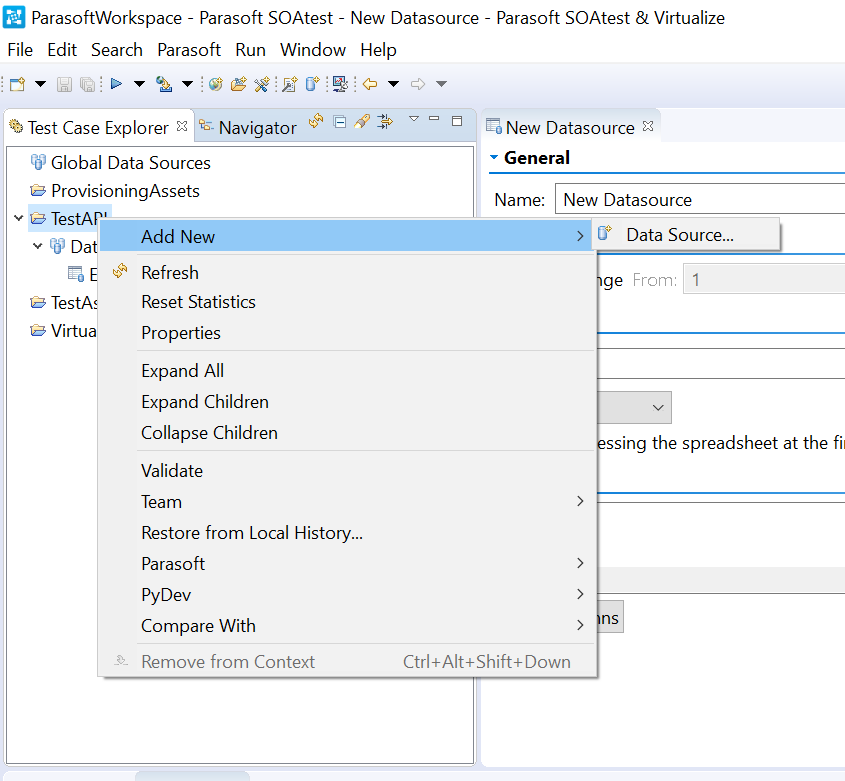
I can create .tst through File->New->Test(.tst) File though. but after create an empty .tst file ( For example, test2.tst) , I can only see .tst in the Navigator. Nothing is displayed in Test case Explorer


And from error log, I can see this exception:
!ENTRY org.eclipse.e4.ui.workbench 4 0 2019-11-26 14:00:01.064
!MESSAGE Exception occurred while rendering: org.eclipse.e4.ui.model.application.ui.basic.impl.PartImpl@1d8aaa96
Please help!
Thanks
Comments
-
I'd recommend reaching out to Parasoft support. Also, have you considered upgrading to a newer version in case doing so help resolve the issue?
0